Publishing Products
Written By Philipp Brockerhoff
Last updated About 1 hour ago
Marketplace sellers can create Asset Pack Products, Map Products, and Bundles.
Products can be created from the content they are based on or from the Manage Products page. Before a product is published, it can be saved as a Draft or submitted for review by the Inkarnate team.
Asset Pack Products
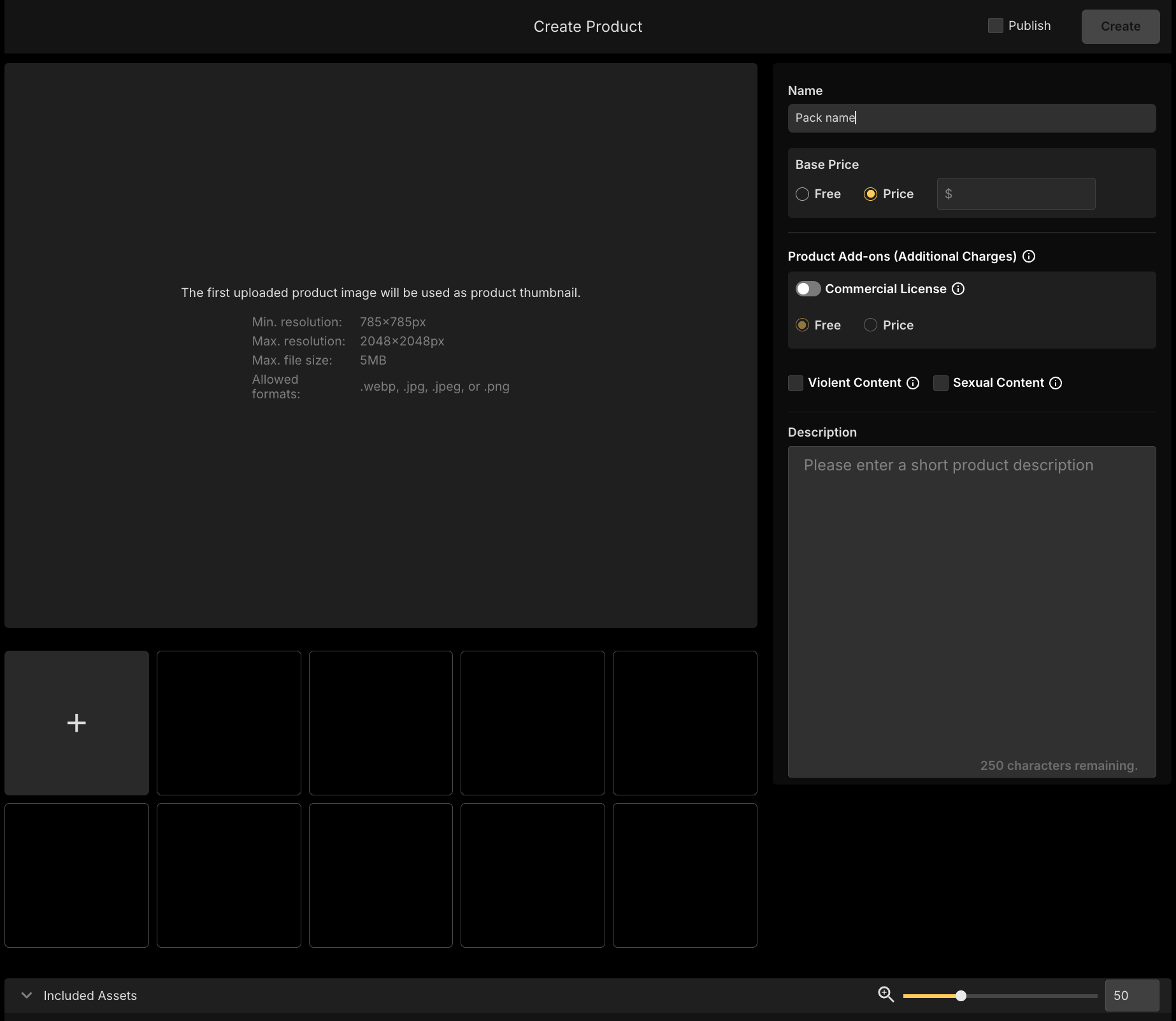
Before creating an Asset Pack Product, upload and organize the Assets into a Pack using the Art Manager. You can create the Product in either of two ways:
Art Manager: Select the Pack, then select Create Product from the bottom of the Details Panel.
Manage Products: Select Create Product → Pack, then choose the Style and Pack you want to sell.
Both options open the Product creation page.
To create the Product, you must provide:
A price, or mark the Product as Free.
At least one Product Image.
Product Images can be reordered using drag and drop. The first image is used as the Product’s cover image.
Complete the remaining Product information and settings as needed.
Map Products
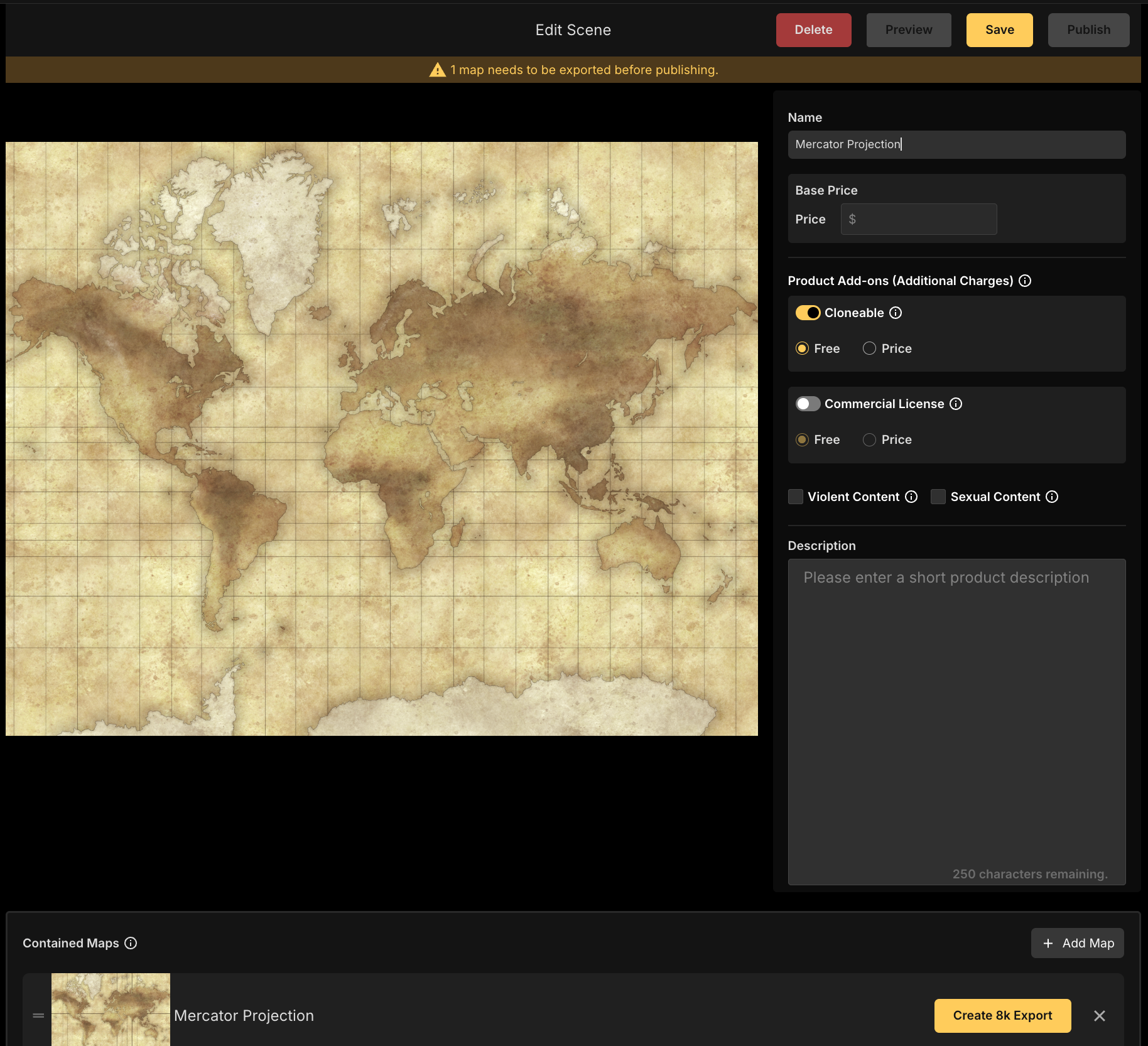
A Map Product can contain one or more maps, with each map provided as its own Scene. You can start creating a Map Product in either of two ways:
Maps Page: Open a map’s context menu and select Sell on Marketplace.
Manage Products: Select Create Product → Map, then choose one of your private maps.
Both options open the Product creation page with the selected map added to the Product.
To create a Map Product, you must:
Set a price, or mark the Product as Free.
Provide an 8K export of the map.
The 8K export is stored with the Product so customers can download a high-resolution version regardless of the performance of their own device.
Select Add Map to include additional maps in the same Product. Each added map remains a separate Scene within the Product.
Bundle Products
Bundles can only be created from the Manage Products page. Select Create Product → Bundle, then choose the Products you want to include. To create a Bundle, you must provide:
A name.
At least one Product Image, with the first image used as the cover.
At least two Products.
Bundles can contain a combination of Asset Pack Products and Map Products.
Saving and Submitting Products
When creating or editing a Product, enable Publish to submit it for review when saving. If Publish is not enabled, the Product is saved as a Draft and can be completed or submitted later.
The Manage Products page lists your Products and their current status, allowing you to return to Drafts or review Products that have already been submitted or published.
Product Review
Submitted Products are reviewed by the Inkarnate team before being published on the Marketplace. After reviewing the Product, the team will either:
Approve and publish it.
Provide feedback about changes that are needed before it can be approved.
Once the requested adjustments have been made, the Product can be submitted for review again.
See Also
Getting Started as Seller: Understand what can be sold and how to prepare content for the Marketplace.
Art Manager: Upload, organize, and configure Assets before creating Asset Pack Products.
Marketplace Sales Data: Review Product sales, conversion rates, refunds, balance, and payout information.
Marketplace Overview: Understand how published Products appear and are discovered in the Marketplace.
Was this helpful?
Still need help? Ask the team