Offline Backups
Written By Philipp Brockerhoff
Last updated 12 minutes ago
Offline Backups create a local copy of your map that can be stored outside of Inkarnate. When loaded, the backup is restored as a separate map in your account, leaving the original map unchanged.
Offline Backups are especially useful when working with an unstable internet connection or when you want an extra backup before making major changes.
Creating an Offline Backup
Create an Offline Backup by selecting Save Offline Backup from the Main Menu. The backup is saved as a local file on your device and can be stored or shared like any other file.
Loading an Offline Backup
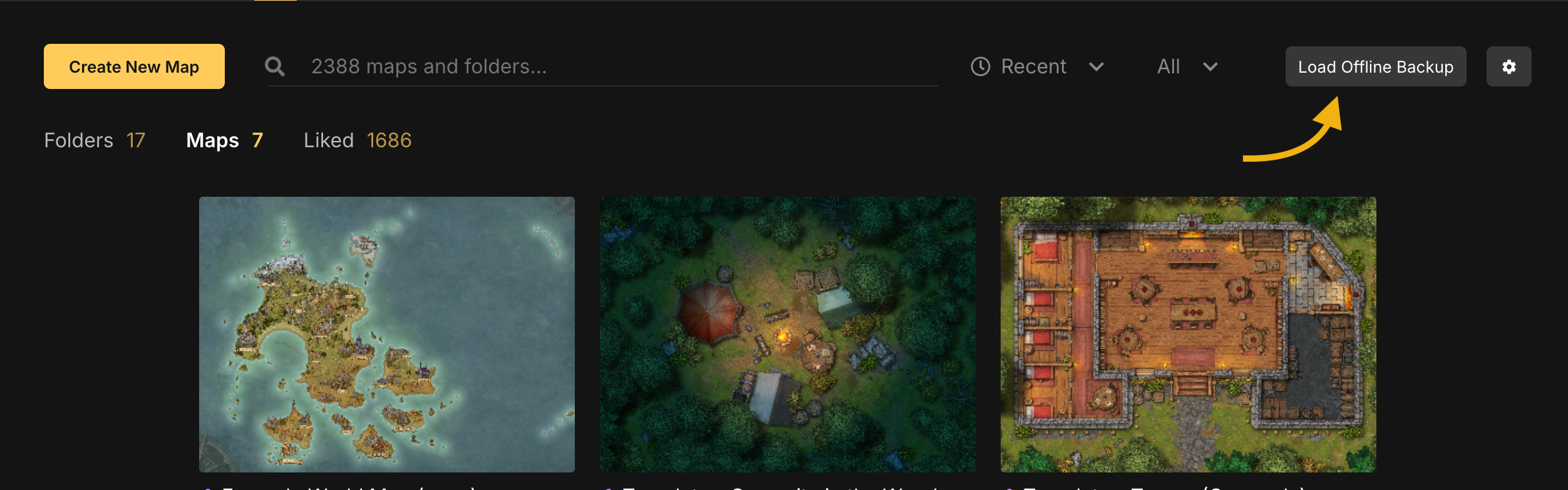
Offline Backups can be restored from the Maps page by selecting Load Offline Backup. Loading an Offline Backup creates a new map containing the backed-up version. The original map is not modified.
Offline Backups contain author information and can only be restored by the account that created the backup.
Paid Feature
Loading Offline Backups is a paid feature.
Tips
Use Offline Backups when changes cannot be saved online due to errors or connection issues.
Store important backups in a safe location outside your browser or device.
See Also
Autosave & Snapshots: Create restore points within a map.
Recover Map: Restore the latest saved state after rendering issues.
Was this helpful?
Still need help? Ask the team